

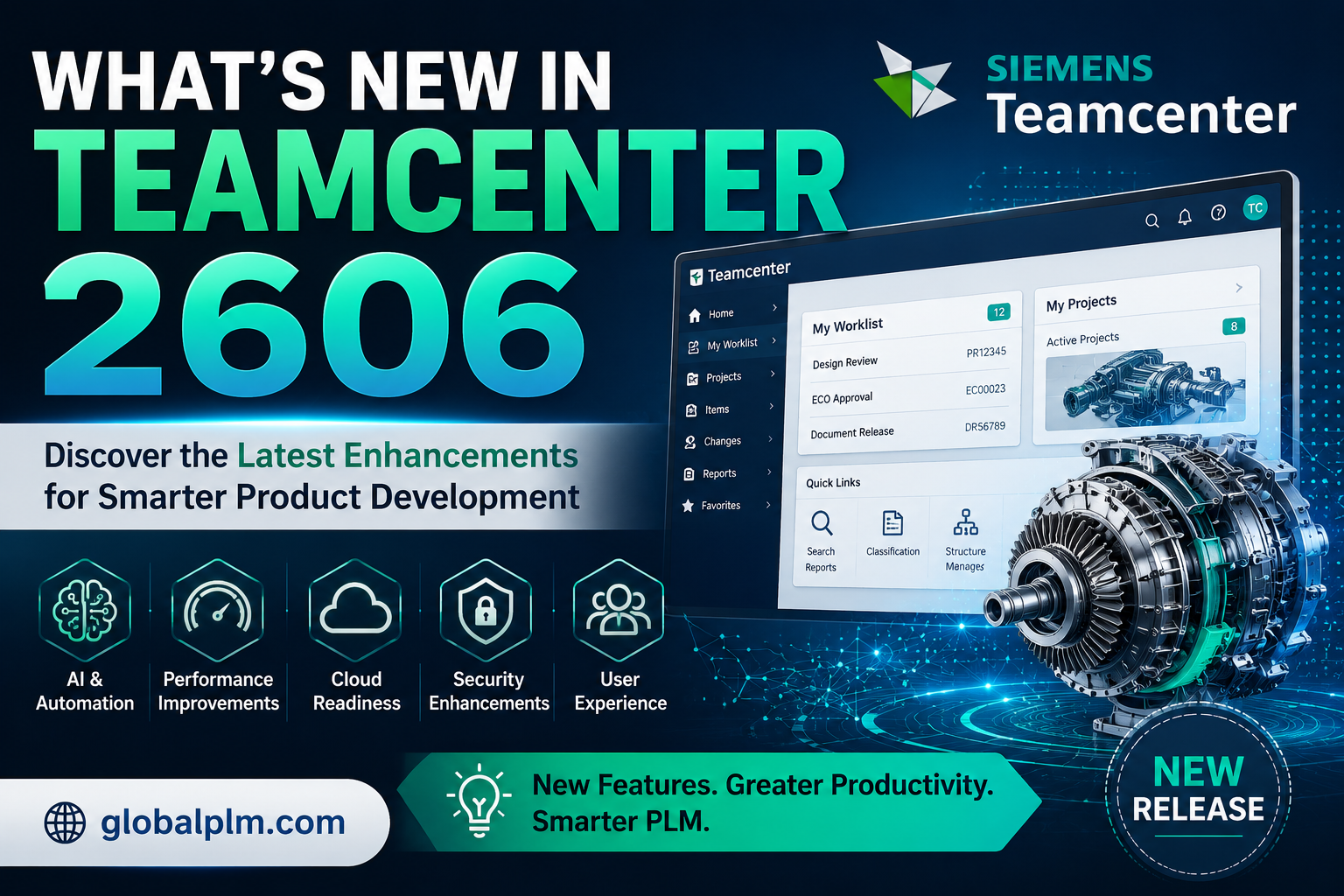

What’s New in Teamcenter 2606
A practical, plain-language walkthrough of the most impactful changes in the 2606 release — where Teamcenter Copilot goes deeper, the Home page becomes a real command center, and structure, compliance, and supplier workflows all get faster.
AI Moves From a Feature to a Framework
If Teamcenter 2606 has one storyline, it’s this: Teamcenter Copilot is no longer a single assistant bolted onto one module. In this release, AI-assisted work shows up in Structures, Requirements, Quality, and even Microsoft 365 — each tuned to the job at hand. Around that core, Siemens has shipped a personalized Home page, faster change merging, a rebuilt Product Configurator engine, and tighter supplier and compliance tooling.
Below: a quick visual map of how the release is organized, the top highlights at a glance, and then a full category-by-category breakdown you can skim or read end to end.
01 — How the Release Is Organized
Five workstreams make up Teamcenter 2606, all feeding one outcome: faster decisions with less manual work.
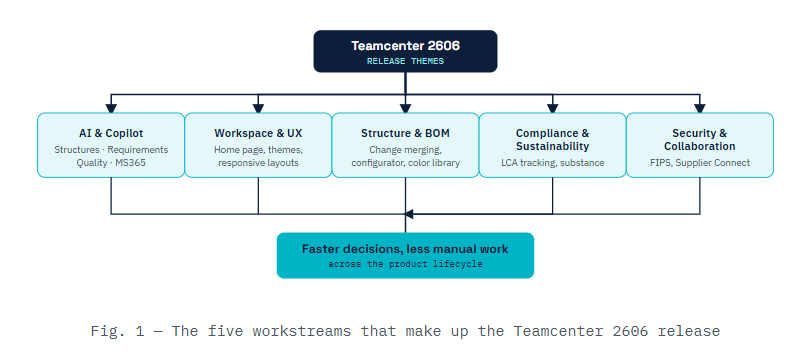
↓ RESULT ↓Faster decisions, less manual work across the product lifecycle |
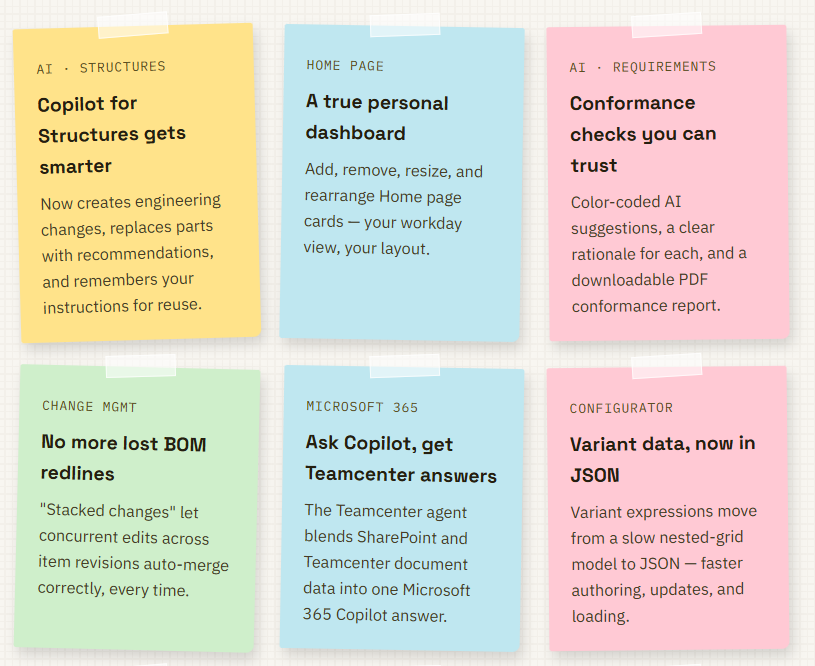
02 — Quick Highlights
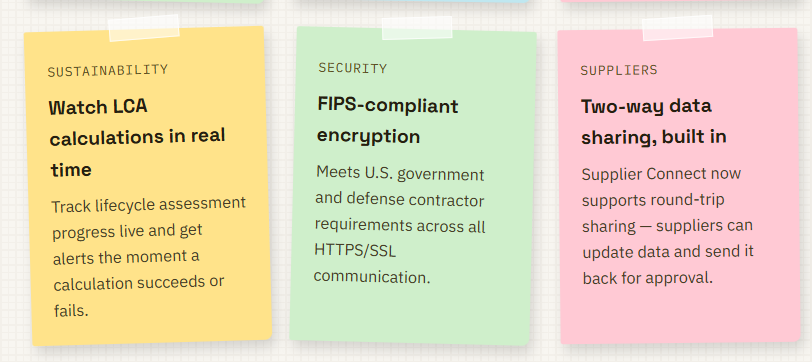
A fast-scan summary of the changes teams are asking about most. Full detail on each is in the sections below.
03 — Full Breakdown, Category by Category
CATEGORY 1
Fundamentals & Home Page
Home page personalization — building on the 2512 dashboard, you can now add, delete, replace, resize, and move Cards to build a Home page that matches how you actually work.
New modern Siemens themes — color-balanced themes designed to reduce eye strain during long sessions.
The Framed Theme is now the default for new installations; administrators can set a different default.
Responsive page layouts — significant improvements to how Active Workspace adapts across window sizes and devices.
Smarter delete assistance — get guided help when deleting objects and their related data, reducing accidental data loss.
Retained personalized table views — your custom table views now persist across groups and roles instead of resetting.
Faster related-data browsing — an inline tree lets you expand and view related data without leaving the page.
CATEGORY 2
AI & Teamcenter Copilot — Across the Board
-
Copilot for Structures does more than search — it can now create engineering changes and associate affected items, replace identified parts with recommendations, build impact-analysis worksets, visualize change markups across multiple structures, and remember instructions you give it for reuse via a keyword.
It also suggests logical follow-up actions based on your last prompt.
-
AI-powered requirements conformance checking — Final Suggestions clearly separate your original text from AI recommendations, with green/red highlighting for additions and deletions, an explained rationale, and a downloadable PDF conformance report.
-
Smarter parameter suggestions — AI validates suggested Units and Data Type values, flagging anything Teamcenter doesn’t support before you accept it.
-
Teamcenter Copilot Quality, configured visually — chat-assistant prompts are now configured through the UI instead of hand-edited JSON files.
-
Copilot for documents and requirements — results can now be sourced from object properties, not just embedded file content (administrator configuration required).
CATEGORY 3
Microsoft 365 & Teams Integration
-
Teamcenter agent for Microsoft 365 Copilot — ask a question in Microsoft 365 Copilot and get one combined answer pulling from both SharePoint and Teamcenter documents, with links back to each source for verification.
-
Similar problem-report search in Teams — ask the chatbot for reports like “motor” issues and get a curated list, helping teams avoid duplicate entries and reuse existing fixes.
-
Onboarding Portal agent activation — activate Microsoft 365 agents (Document Search, Procurement Agent, Task Management Agent, and more) directly from the Onboarding Portal.
-
Release-independent app updates — the Teamcenter app for Microsoft Teams and the MS365 Copilot app now update on their own schedule, so you’re no longer forced to reinstall a new app version every time you upgrade Teamcenter.
CATEGORY 4
Structure, BOM & Change Management
-
Stacked changes for concurrent edits — Teamcenter now evaluates concurrency at the base-item level rather than requiring identical impacted revisions, so work-in-progress changes on the same item auto-merge correctly no matter which revision each one touches. This prevents the classic problem of lost BOM redlines.
-
Product Configurator moves to JSON — variant expressions previously lived in a deep nested-grid structure that slowed down lookups; the new JSON-based format speeds up authoring, updating, deleting, and loading variant configuration objects.
-
Color library and appearance management — create and manage a shared color library, visualize products using color appearance definitions, scope appearances per product or part, and generate color parts at the assembly level.
-
Faster, safer structure duplication — copy Designcenter dependencies optionally, and automatically apply your active session’s project security settings to duplicated structures.
-
Design/Engineering BOM alignment — a guided interface for initial alignments and intuitive guided updates keeps EBOM and design data in sync with less manual reconciliation.
CATEGORY 5
Compliance, Sustainability & Quality
-
Real-time LCA monitoring — watch lifecycle assessment calculations progress instead of waiting for completion, with alerts on success or failure so issues surface earlier.
-
Automatic LCA initiation on release workflows — lifecycle assessments can now kick off automatically as part of your existing release process.
-
Substance compliance grading modes — optimize how compliance checks are graded, and categorize or override vendor parts and materials in bulk through a dedicated configuration UI.
-
FMEA usability improvements — control what’s compared between master and variant FMEAs, show all FMEA elements in a single action, and choose which properties and relations align after a comparison (Failure Cause Actions are now renamed Failure Root Cause Actions).
CATEGORY 6
Security & Supplier Collaboration
-
FIPS-compliant encryption — meets U.S. government and defense contractor requirements across all HTTPS/SSL client and server communication.
-
Enhanced single sign-on security and a CSP-compliant framework — for dynamic expressions, tightening the platform’s security posture without added admin overhead.
-
Two-way Supplier Connect sharing — share requirements, quality objects, and product data with suppliers one-way for reference, or round-trip so suppliers can update and return data for OEM approval. Suppliers can now also initiate their own data exchanges.
-
Asset Administration Shell export — export a product hierarchy directly to Asset Administration Shell format for broader industrial interoperability.
04 — Why It Matters
| THEME | WHAT IT SOLVES |
| AI woven into daily tools, not a separate app | Less tool-switching, faster decisions in the flow of work |
| Personalized, responsive workspace | Less time hunting for information, more time acting on it |
| Concurrency-aware change management | Fewer lost edits and rework cycles on shared BOM data |
| Deeper Microsoft 365 integration | Teams stay in their existing tools while still reaching Teamcenter data |
| Compliance and sustainability visibility | Earlier warning on risk, less end-of-cycle firefighting |
| Bottom line: Teamcenter 2606 isn’t one headline feature — it’s dozens of smaller, practical improvements to how engineering, quality, compliance, and supplier teams already work day to day, with Teamcenter Copilot as the connective thread running through nearly every module. |
=========================================================================
Published article
https://globalplm.com/category/teamcenter/
Understanding the Role of Artificial Intelligence in Teamcenter PLM
Top 50 Teamcenter Active Workspace Interview Questions and Answers (2025)
=========================================================================
What’s Next? We have more deep dives into PLM Tutorials, Teamcenter, and Active Workspace coming your way soon.
We value your feedback! Please share your thoughts in the comment section below.
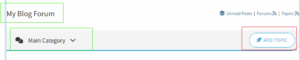
If you have specific technical questions, feel free to post them in our Forum via the “Add Topics” button, and our team will provide a solution as soon as possible.
Stay Connected:
Follow us on our social media platforms for the latest updates, or
reach out with suggestions at [email protected].