


Q1. What is Teamcenter?
Answer: Teamcenter is Siemens’ PLM platform for managing product data, structures, processes, configurations, and lifecycle information.
Q2. What are the major Teamcenter tiers?
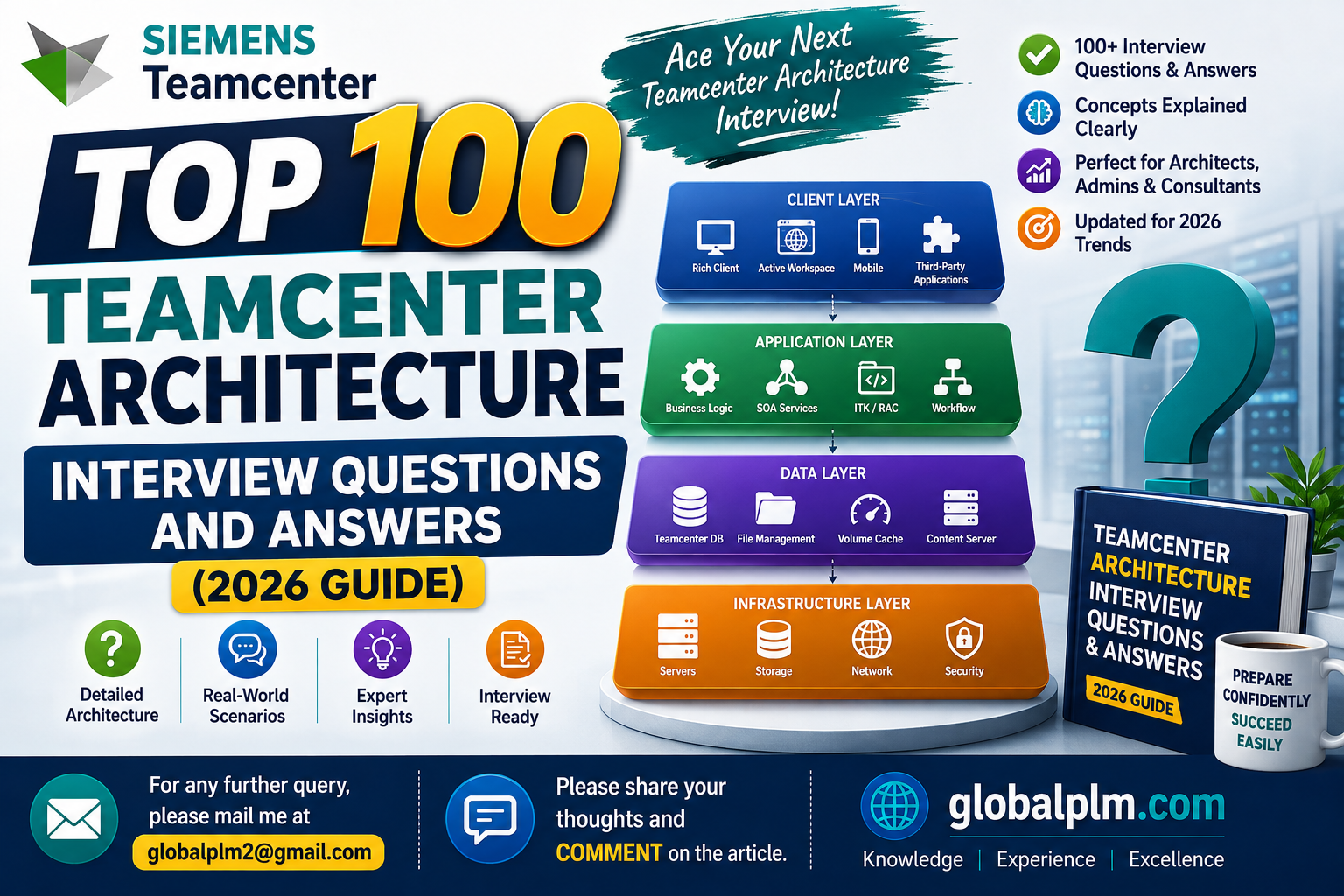
Answer: Common tiers are client/UI, web/application services, Teamcenter server/business logic, database, and file management/storage services.
Q3. What is Active Workspace?
Answer: Active Workspace is Teamcenter’s modern web client providing browser-based access to PLM data, structures, workflows, and administration.
Q4. What is Teamcenter Rich Client?
Answer: Rich Client is the traditional desktop Java client used for Teamcenter access and administration; many deployments increasingly use Active Workspace.
Q5. What is TC_ROOT?
Answer: TC_ROOT is the Teamcenter installation directory containing binaries, libraries, configuration and product files.
Q6. What is TC_DATA?
Answer: TC_DATA contains site-specific Teamcenter configuration, preferences, logs, generated data and environment-specific files.
Q7. Why should TC_ROOT and TC_DATA be separated?
Answer: Separating product installation from site configuration simplifies upgrades, maintenance, rollback and environment management.
Q8. What is FSC?
Answer: File Server Cache manages transfer and caching of Teamcenter-managed files between clients and storage locations.
Q9. What is FMS?
Answer: Teamcenter File Management System provides services for storing, retrieving, caching and transferring managed files.
Q10. What is a volume?
Answer: A Teamcenter volume is a logical storage location used by the database/file-management architecture to organize managed files.
Q11. What is a Teamcenter pool manager?
Answer: Pool Manager manages Teamcenter server processes and distributes client requests to available server instances.
Q12. What is a Teamcenter server manager?
Answer: Server Manager is part of the server-side runtime used to manage and monitor Teamcenter server processes.
Q13. What is POM?
Answer: Persistent Object Manager is the Teamcenter framework responsible for persistent business objects and their database representation.
Q14. What is BMIDE?
Answer: Business Modeler IDE is the primary modeling/customization environment for Teamcenter business objects, properties, LOVs, rules and extensions.
Q15. What is the Teamcenter data model?
Answer: It defines business objects, relations, properties, types, rules and persistent structures used to represent PLM data.
Q16. What is an Item?
Answer: An Item is a business object representing a product or business entity, normally with one or more revisions.
Q17. What is an Item Revision?
Answer: An Item Revision represents a specific revision/state of an Item and carries revision-specific data and relationships.
Q18. What is a Dataset?
Answer: A Dataset represents managed content or files, such as CAD, PDF, Office or visualization data, associated with Teamcenter objects.
Q19. What is a Form?
Answer: A Form is a Teamcenter object used to store structured attribute data, often attached to business objects through relationships.
Q20. What is a relation?
Answer: A relation connects Teamcenter objects and defines how one business object references another.
Q21. What is an ImanFile?
Answer: ImanFile is a Teamcenter file object representing a managed physical file referenced by a Dataset or other file-bearing object.
Q22. What is a BOMView?
Answer: BOMView represents a product-structure view associated with an Item and supports BOM management.
Q23. What is BOMViewRevision?
Answer: BOMViewRevision represents a revision of the BOM view used to manage a particular product structure.
Q24. What is a BOMLine?
Answer: A BOMLine is a runtime representation of a component occurrence in a product structure.
Q25. What is Structure Manager?
Answer: Structure Manager is Teamcenter functionality for creating, viewing, configuring and modifying product structures.
Q26. What is configuration context?
Answer: A configuration context defines rules such as revision, effectivity or variant criteria used to resolve a product structure.
Q27. What is effectivity?
Answer: Effectivity defines when or where a product structure or component is applicable, such as serial, unit or date ranges.
Q28. What is variant configuration?
Answer: Variant configuration represents configurable product choices and rules used to resolve valid product structures.
Q29. What is a workflow?
Answer: A workflow is a structured process that routes Teamcenter objects through tasks, approvals, reviews and automated handlers.
Q30. What is a workflow handler?
Answer: A handler is executable logic attached to a workflow task to perform validation, automation or routing.
Q31. What is a rule handler?
Q32. What is a custom action handler?
Q33. What is Access Manager?
Q34. What is Organization in Teamcenter?
Q35. What is a group?
Q36. What is a role?
Q37. What is a privilege?
Q38. What are preferences?
Q39. What is a BMIDE template?
Q40. What is a deployment package?
Q41. What is a four-tier Teamcenter deployment?
Q42. What is a two-tier deployment?
Q43. Why use load balancing?
Q44. Where is a reverse proxy used?
Q45. Why use TLS?
Q46. What is SSO?
Q47. What is LDAP integration?
Q48. What is database schema?
Q49. Why is direct database modification discouraged?
Q50. What is a cache server?
Q51. What is site topology?
Q52. What is multi-site Teamcenter?
Q53. What is a remote site?
Q54. What is data replication?
Q55. What is volume replication?
Q56. What is a dispatcher?
Q57. What is a dispatcher client?
Q58. What is a translator?
Q59. What is visualization data?
Q60. Why is JT important?
Q61. What is a microservice architecture?
Q62. Why does Teamcenter use microservices?
Q63. What is Active Workspace server-side architecture?.
Q64. What is SOA?
Q65. What is ITK?
Q66. ITK versus SOA?
Q67. What is REST in Teamcenter?
Q68. Why prefer supported APIs?
Q69. What is BMIDE deployment impact?
Q70. What is a schema update?
Q71. What is a cold deployment?
Q72. What is rolling deployment?
Q73. What is blue-green deployment?
Q74. What is high availability?
Q75. What is disaster recovery?
Q76. What is RPO?
Q77. What is RTO?
Q78. How do you size Teamcenter?
Q79. What is a bottleneck?
Q80. How do you troubleshoot slow AW?
Q81. How do you troubleshoot slow BOM loading?
Q82. What is connection pooling?
Q83. Why monitor JVM memory?
Q84. What is garbage collection?
Q85. What is observability?
Q86. What is correlation ID?
Q87. What should an architecture review include?
Q88. What is a production readiness review?.
Q89. What is an upgrade path?
Q90. Why test upgrades in a clone?
Q91. What should be backed up before upgrade?
Q92. What is rollback?
Q93. What is a compatibility matrix?
Q94. What is a production baseline?
Q95. How do you architect for remote users?
Q96. How do you reduce file-transfer latency?
Q97. What is a single point of failure?
Q98. What is capacity planning?
Q99. What is a performance test?
Q100. What is a smoke test after deployment?
About the Author:-
Chandan Kumar
Teamcenter Infrastructure & PLM Professional
15+ years of practical experience working with Teamcenter administration, infrastructure, installation, configuration, Active Workspace, cloud infrastructure, databases, Linux, Ansible,Kubernetes, integrations,Teamcenter AI, performance troubleshooting and production support.
Linkedin:-https://www.linkedin.com/in/chandan-kumar-90111796/
GlobalPLM Mentorship Request Form
https://docs.google.com/forms/d/e/1FAIpQLSdtt5x33XOH-7_7Eo44QVofSxEJaX3r8279rSUF04iJG_aOpw/viewform?usp=publish-editor
========================================================================
Stay Connected:-
Follow us on our social media platform for the latest updates or reach out with suggestiob at [email protected]
[Facebook] | [LinkedIn]| [WhatsApp +91-9545389857]
— Team GlobalPLM
Top Most viewed Article
https://globalplm.com/teamcenter-jobs-live-opening/
Top 10 Real-World Teamcenter Production Issues: Causes, Troubleshooting & Solutions
Top 10 Real-World Teamcenter Production Issues: Causes, Troubleshooting & Solutions
50 Performance Tips for Teamcenter: Teamcenter System Administrators
Teamcenter Installation 2606: A Complete Step-by-Step Guide for Beginners (Using Deployment Center)
Teamcenter Microservices Architecture Explained: From Monolith to Containers
Teamcenter 2606: Complete Guide to New Features and Enhancements
https://globalplm.com/category/teamcenter/
Understanding the Role of Artificial Intelligence in Teamcenter PLM
Top 50 Teamcenter Active Workspace Interview Questions and Answers (2025)